
Loop Engineering: Four Loops That Turn an Agent into a System
Prompt, context and harness engineering shape one run. Loop engineering covers how an agent acts, checks its work, reacts to events and improves over time.
Last updated
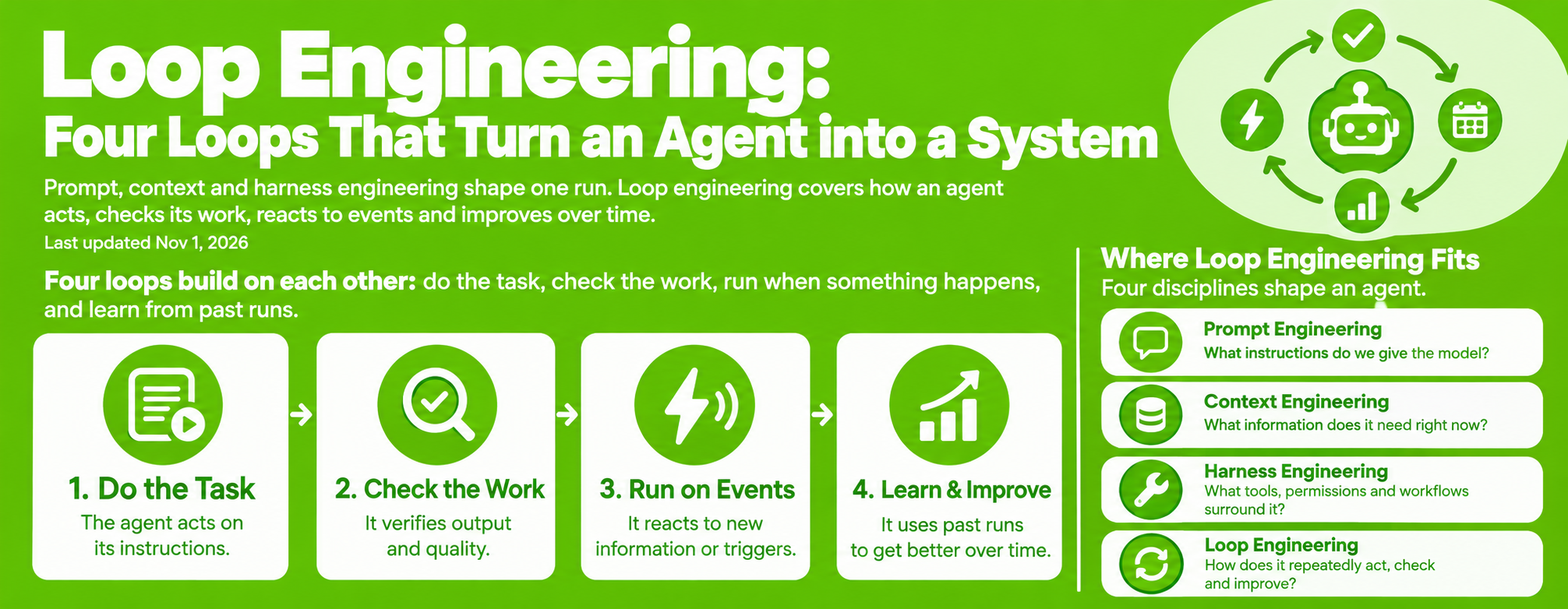
Four loops build on each other: do the task, check the work, run when something happens, and learn from past runs.
An agent here means an AI model connected to tools such as file readers, code editors or email senders. Loop engineering is the design of what happens around that model: how it works, how its output is verified, what starts it, and how the whole setup gets better.
Where loop engineering fits
Four disciplines shape an agent.
- Prompt engineering: what instructions do we give the model?
- Context engineering: what information does it need right now?
- Harness engineering: what tools, permissions and workflows surround it?
- Loop engineering: how does it repeatedly act, check and improve?
Prompts sit inside context, and context sits inside the harness. Loop engineering is a separate axis: it describes behavior over time rather than a layer of the stack.
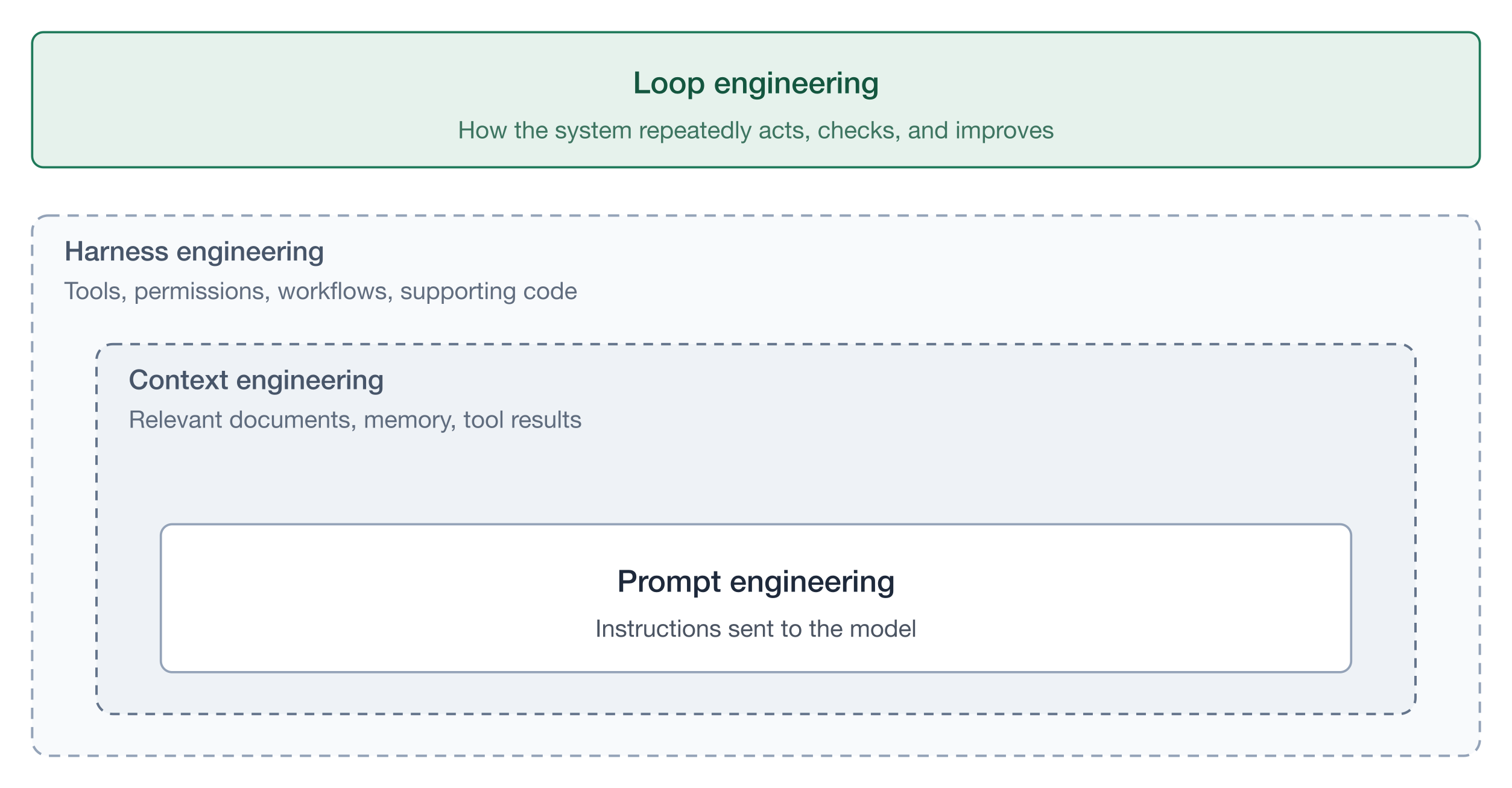
Take a documentation fix as the running example:
- Prompt: "Fix the documentation."
- Context: the relevant docs and the writing guidelines.
- Harness: tools to read files, edit them and open a pull request.
- Loops: edit, check, retry, and improve the process over time.
Level 1: The agent loop
Use a tool, see what happened, decide what to do next.
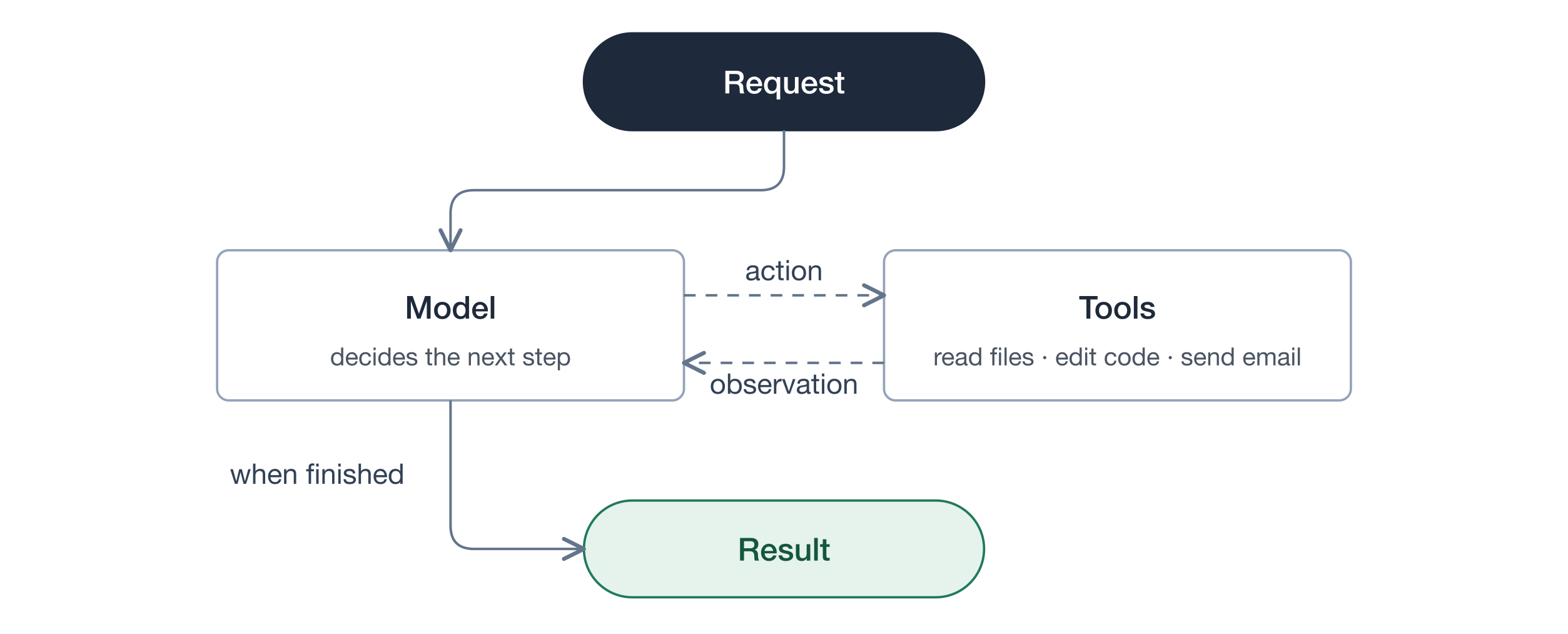
- The model asks a tool to read a file.
- The tool returns the contents.
- The model asks a tool to edit the file.
- The tool reports what changed.
- The model finishes.
"The agent finished" does not mean "the result is correct." That gap is why the next loop exists.
Level 2: The verification loop
Check the result. If it fails, send feedback and try again.
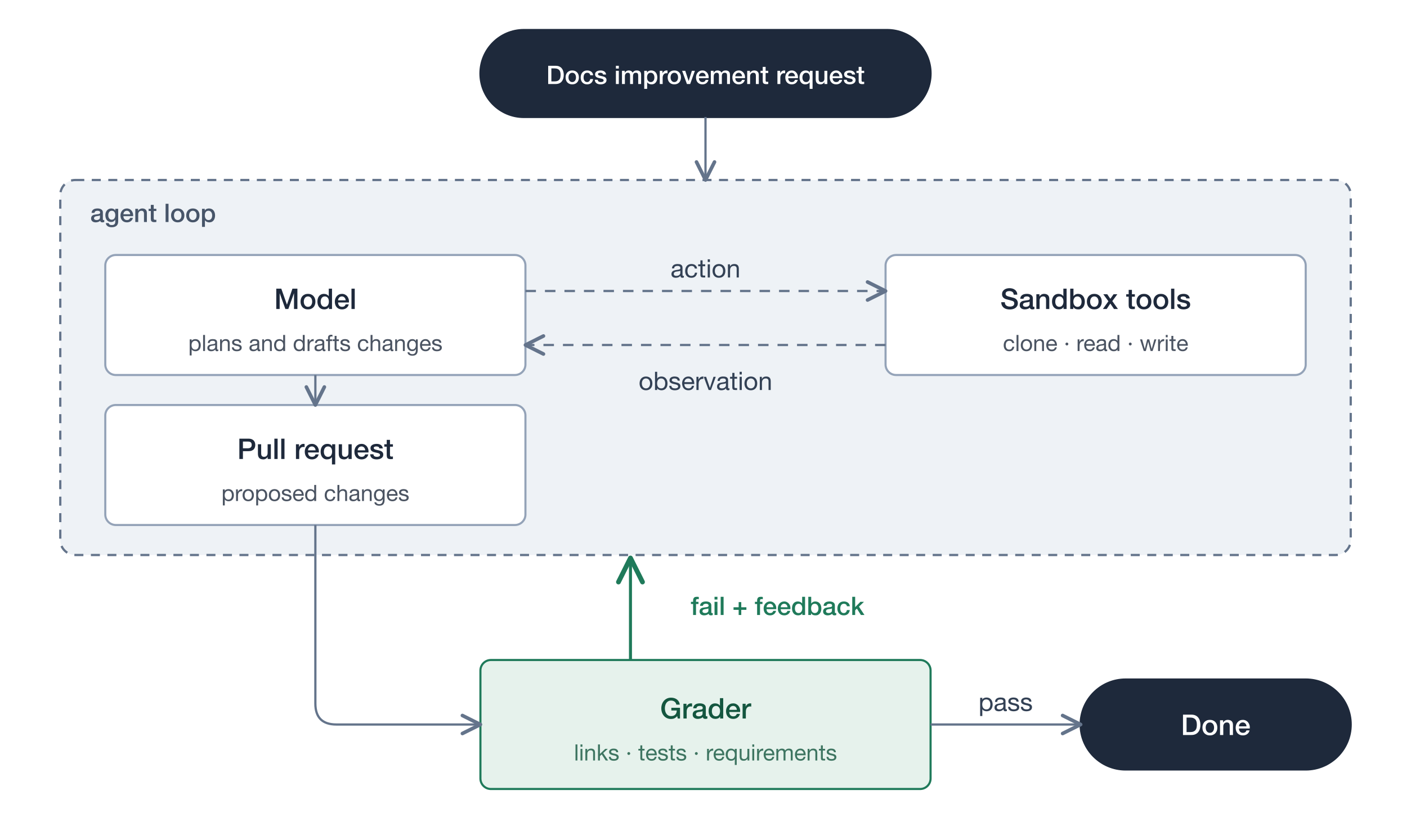
The grader checks things such as:
- Do the links work?
- Do the automated tests pass?
- Does the output meet the requirements?
Feedback should be specific: "Two links are broken. Fix those links." The agent retries with that information in context.
Graders do not all need to be models. Ordinary automated tests are cheap and deterministic, so run them first. A cheaper model can produce the work while a stronger, more expensive model judges the parts tests cannot cover. See Grading Agent Tool Use for grader design.
Result: better work on this one task.
Level 3: The event-driven loop
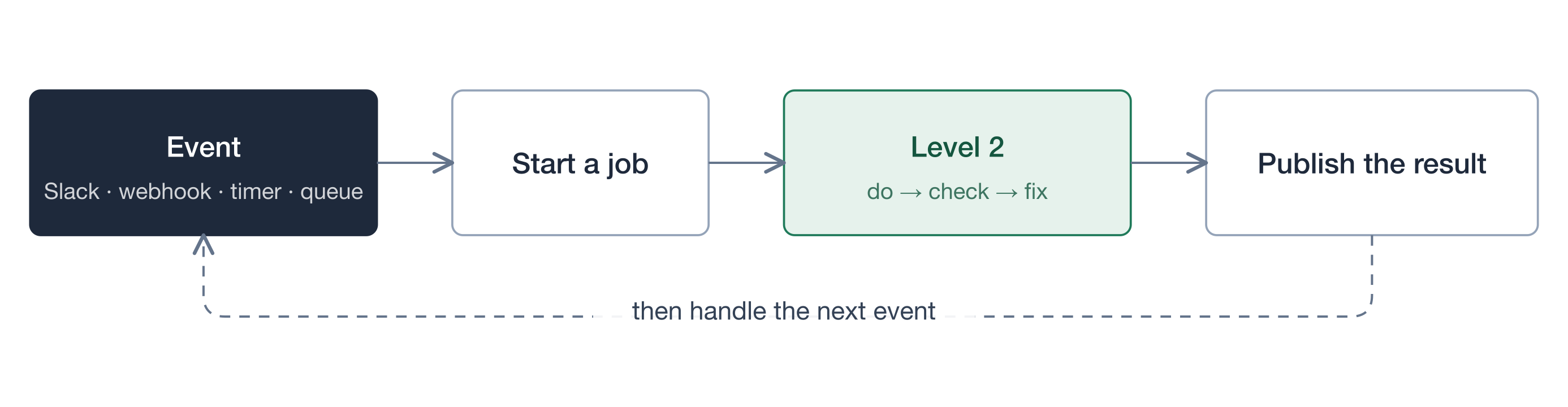
Start the agent whenever a relevant event happens, instead of launching every task by hand. A Slack message, a webhook, a timer, a queue item, a new issue or a failed build can all be triggers.
This is not a new kind of AI reasoning. It is a layer around the agent that decides when to run it. Level 2 describes what happens during one job. Level 3 describes how the system keeps operating across many jobs.
Say you deploy a documentation agent that watches a Slack channel:
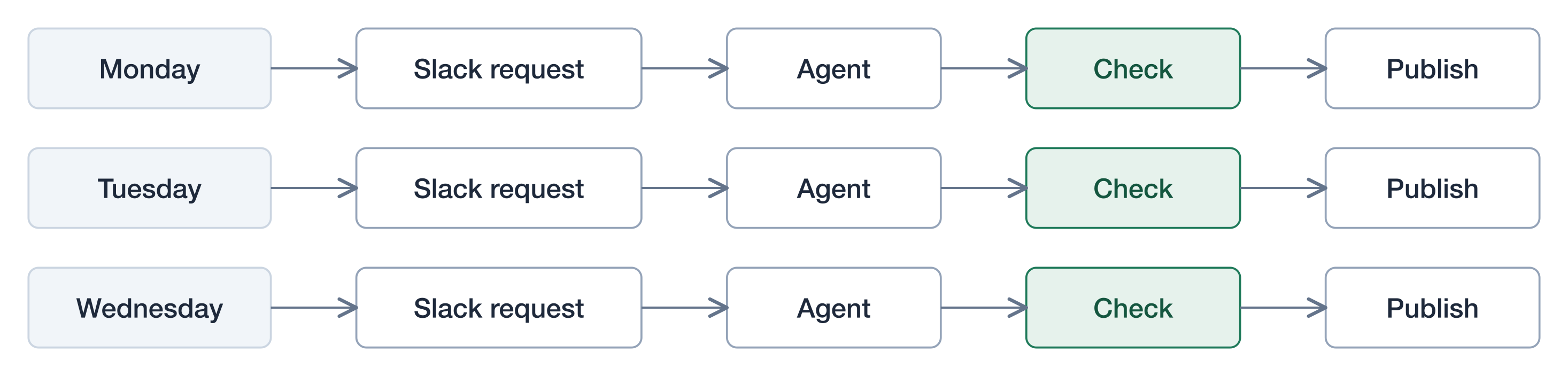
- Level 1: the agent reads and edits files using tools.
- Level 2: it checks the changes and fixes problems.
- Level 3: a Slack message starts that process automatically.
The service repeatedly waits, runs a job and finishes it. If your agent already reacts to messages, webhooks or scheduled triggers, it is already doing Level 3.
The full picture, with the loops nested:
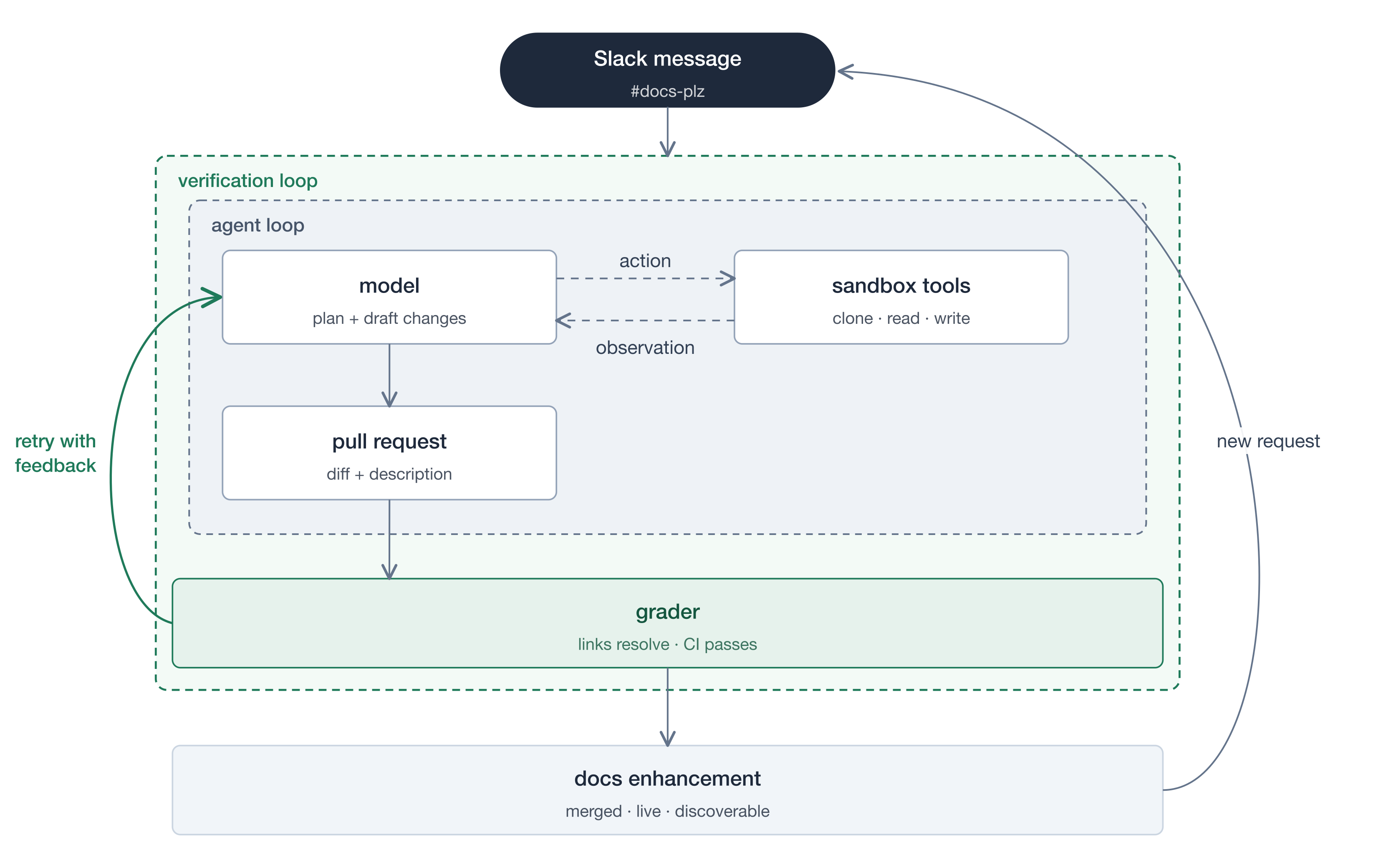
The result does not have to generate another request. The curved arrow above can suggest that, but usually the system simply waits for the next independent event. If outputs do produce new events, put a limit on chained runs.
Result: ongoing automation.
Level 4: The learning loop
Study past runs and improve how the agent works. This is an improvement process wrapped around the other three loops.
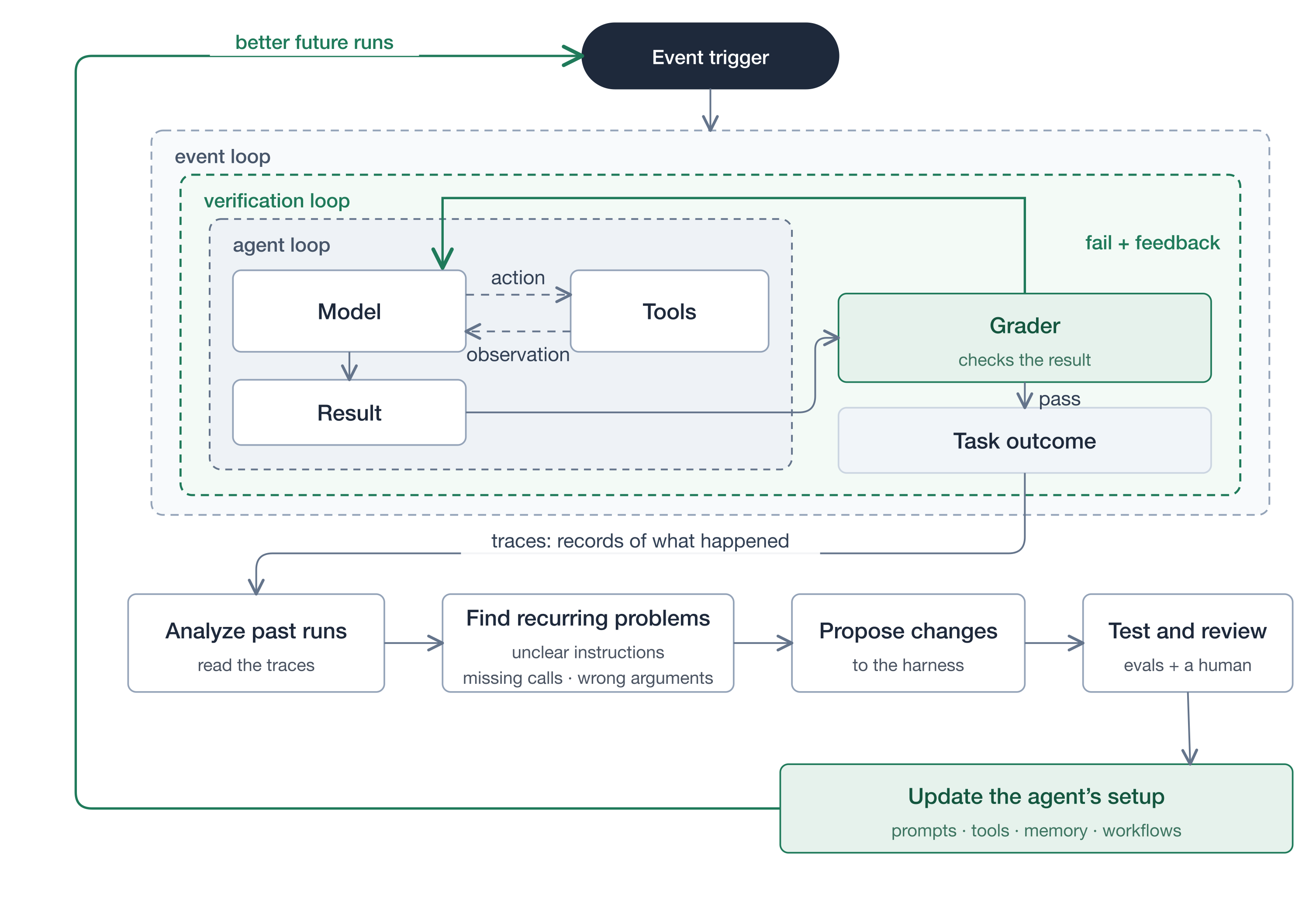
A trace is a record of a run: what the model did, which tools it called and what happened. Reading many traces surfaces patterns a single run hides:
"The agent often forgets to check links. Add a required link-checking step."
Hill climbing means trying changes and keeping the ones that perform better. It does not mean retraining the model. The changes land in prompts, tools, memory or workflows.
Result: a better agent for future tasks.
Prove the change helps with evals
Every proposed improvement needs evidence. An eval suite is a collection of test tasks, and the baseline is the current version of the agent.
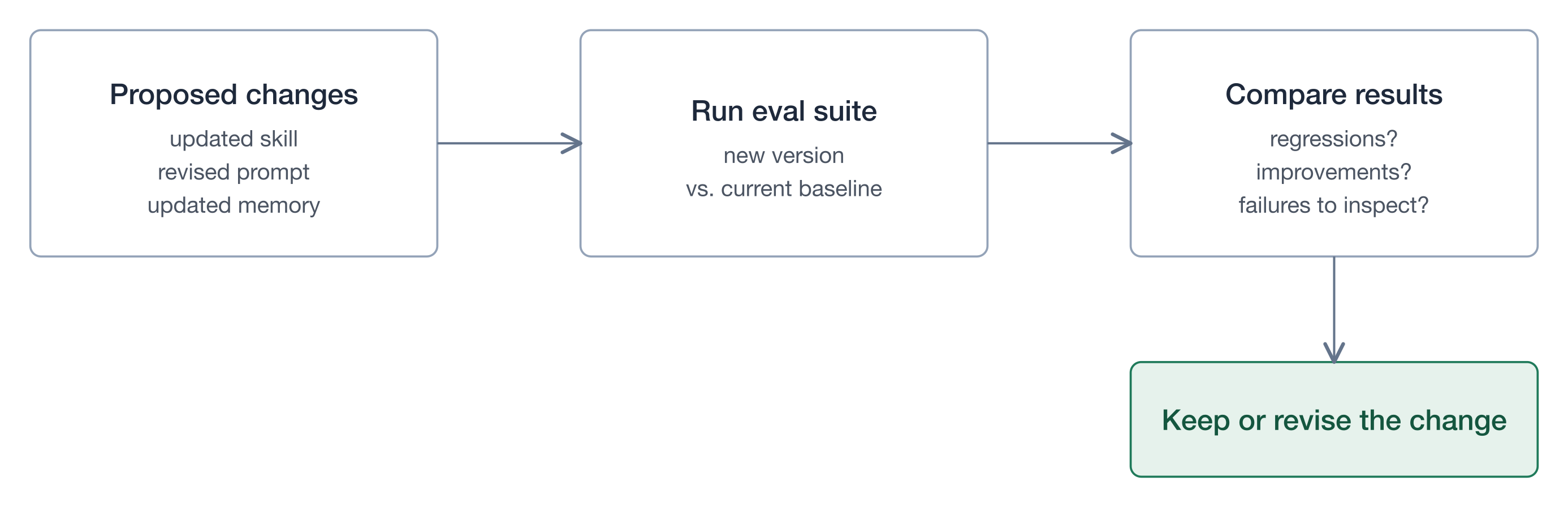
A change that fixes one task can break another. Evals catch that before it ships. Prompt Evals covers how to build the suite.
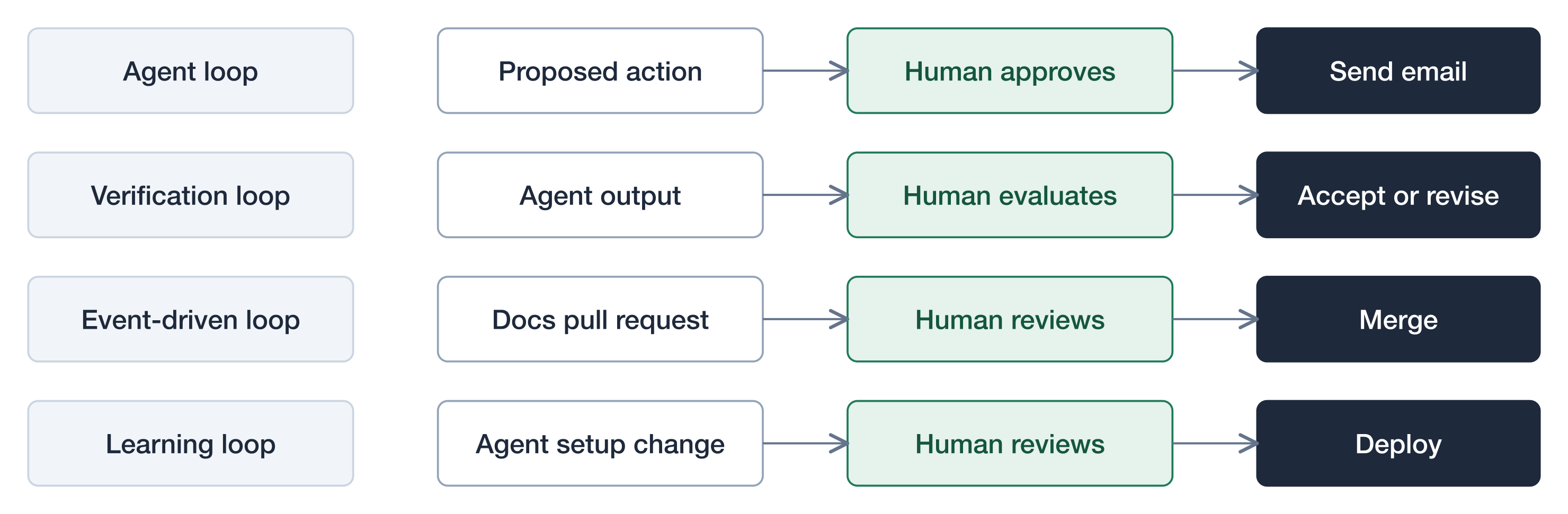
Humans stay in every loop
Automation does not remove human control. Each level has a natural approval point.
Putting it together
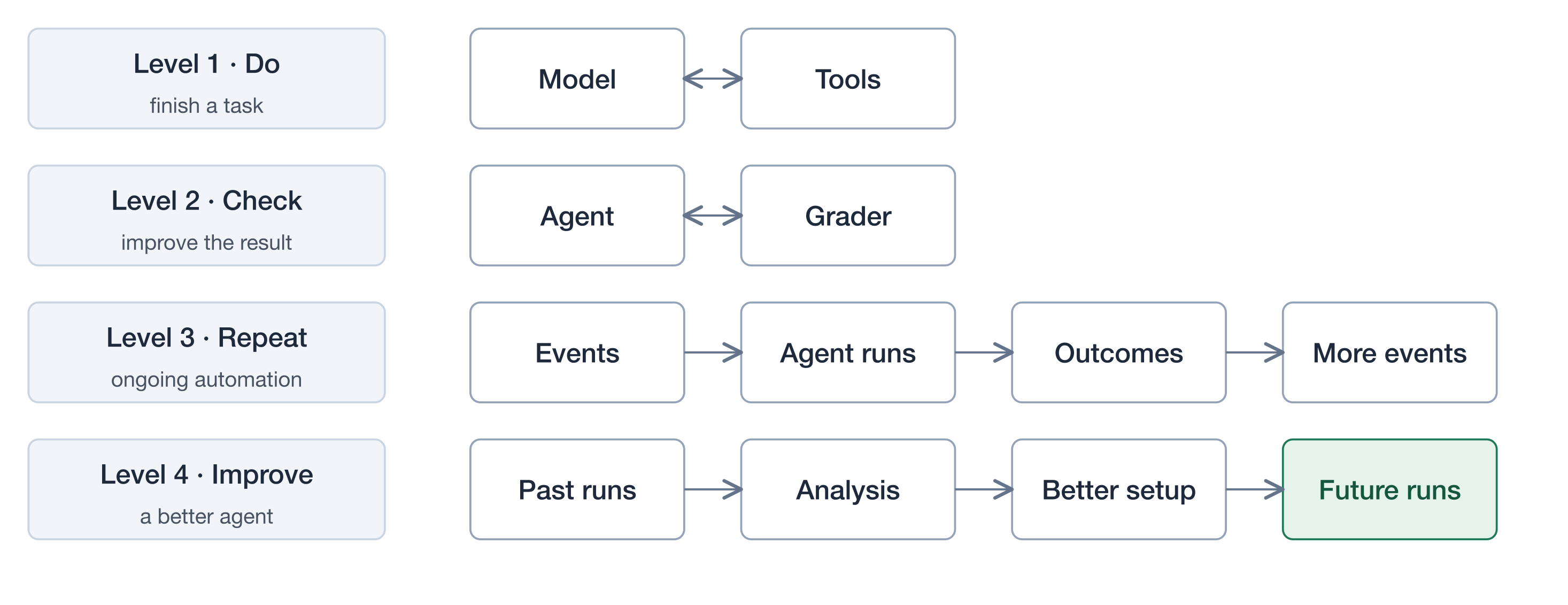
The distinction that matters most:
- Verification: make this result better.
- Learning: make future runs better.
Loop engineering is the design of how an agent does work, checks it, responds to events and improves over time. The harness gives it the parts. The loops decide how they run.